Create an active marketplace page in your housing association
Residents in a housing association often have items they want to buy or sell. With Anyhoa, you can create a marketplace page directly on your association’s website, allowing residents to easily trade within the community.
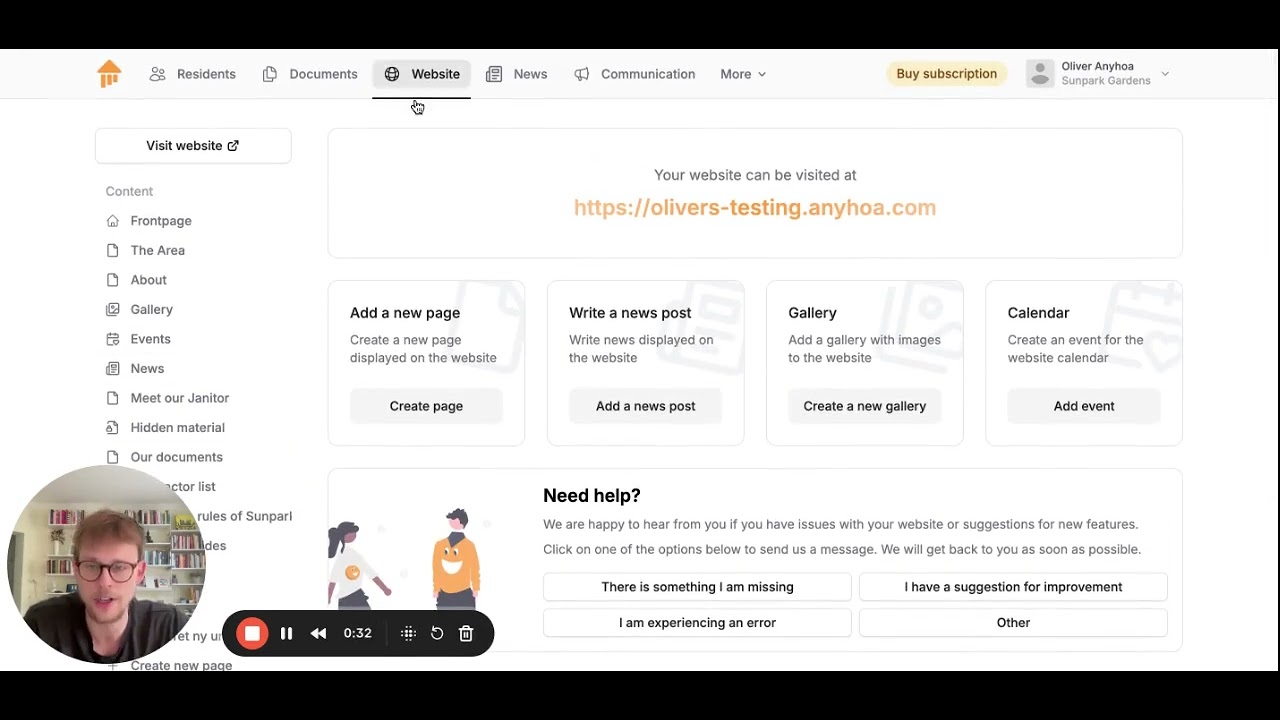
Why use a marketplace page in the housing association?
A marketplace page makes it easier for residents to find new owners for their used furniture, tools, or children’s items. Instead of using external marketplace platforms, residents can trade directly with each other, fostering trust and strengthening the community.
How marketplace pages work in Anyhoa
We have made it easy to create and manage a marketplace page in your housing association.
Create a new marketplace page
The board or a designated administrator can easily create a marketplace page in Anyhoa.
Add listings
Residents can submit listings with images, prices, and contact details.
Choose visibility
The board decides whether the page should be private for residents or publicly accessible on the website.
Automatic updates
New listings appear automatically on the page, and old ones can be removed after a set period.
Integrate with the association website
The marketplace page can be linked directly to the housing association’s website.
Receive notifications for new listings
Residents can subscribe to updates and get notified when new items are posted.
Menu structure and individual listing pages
Anyhoa allows you to create menus and submenus on the association’s website. This means you can set up a dedicated marketplace section where each listing can have its own page. If the board manages a second-hand committee, they can organize listings into categories such as “Furniture,” “Books,” or “Electronics.”


When is a marketplace page useful?
- When moving: Residents who are moving can easily sell furniture and appliances to their neighbors.
- For shared projects: If the association is undergoing renovations, residents can sell unused materials to each other.
- For families: Strollers, bicycles, and toys can be exchanged among residents.
- To strengthen the community: A marketplace page increases interaction and collaboration among residents.
FAQ – Frequently asked questions about marketplace pages
Find answers to the most common questions about association websites and marketplace pages. Feel free to reach out if you have any additional questions.
Who can create listings?
The board can decide whether all residents can post listings or if they need approval first.
Is it possible to automatically remove old listings?
Yes, the board can set an expiration date so that outdated listings are automatically deleted.
Can we have a private marketplace page?
Yes, the board can choose whether the page is visible only to residents or publicly accessible.
Can we integrate the marketplace page with newsletters?
Yes, listings can be highlighted in the association’s newsletters if you use Anyhoa’s communication module.

Try the marketplace page today
Would you like to make it easier for residents to trade within your housing association? With Anyhoa, you can set up a user-friendly marketplace page that supports an active and social resident community.
Ready to get started?
Choose a package and get started right away, or reach out to co-founder Oliver Lindebod.
